

2.9.5
Latest version
21.10.2026
AIRHMI Designer is free desktop design software for AIRHMI touch displays. You design screens by drag and drop and write C-based code for component events. With the built-in simulator and debugger you run and test the project on your computer before loading it onto the device.
Version 2.9.5 · Windows 10 / 11 (64-bit) · 67 MB
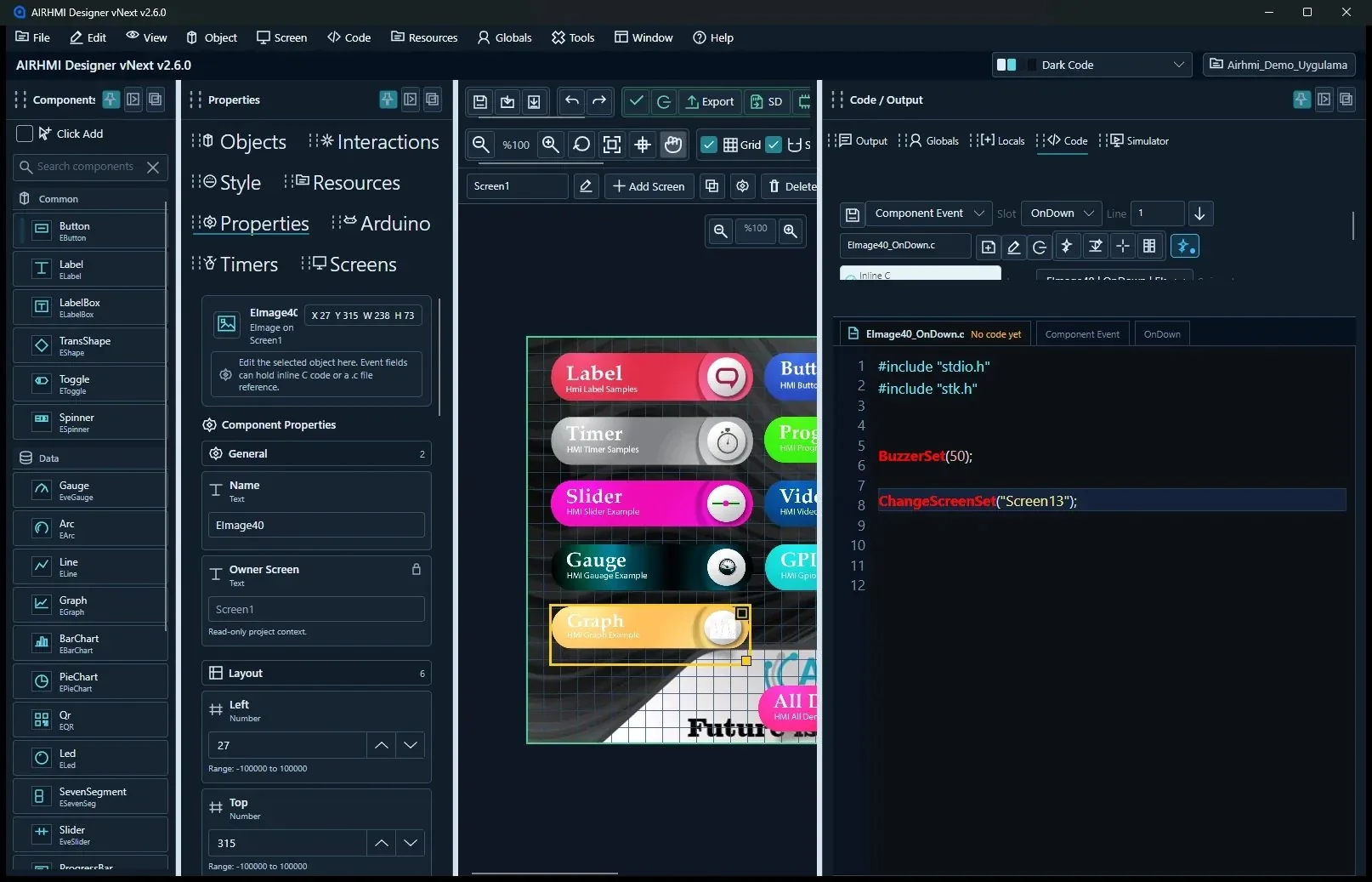
Describe your screen; the airhmi-dev AI skill designs the interface, writes the code and tests it in the simulator. You fine-tune it in AIRHMI Designer.
A thermostat project from scratch with airhmi-dev; fine-tuning in Designer, simulator and debugger, sending to the device over FTP. 8 minutes, in Turkish.
The video loads from YouTube when you play it. Watch on YouTube
Installing the airhmi-dev skill in Claude Code, Codex or Cursor with a single sentence and verifying it with the environment check. Length 2.5 minutes. Video in Turkish.
Requirements: Windows 10/11, AIRHMI Designer 3.5+ (free) and an agent running on your computer. Browser chats (claude.ai, ChatGPT) cannot reach the Designer on your computer. The SKILL.md file must be directly inside the skill folder.
The video loads from YouTube when you play it. Skill folder (GitHub) · Watch on YouTube
Button, label, image, progress bar, slider, gauge, graph, list, numeric input, keyboard, video and audio components.
Write C-syntax code on every component event (touch, value change, timer, UART data). The compiler reports errors line by line.
Run the project on your computer before sending it to the device; test UART traffic over a virtual port.
Breakpoints, variable watch and step execution. Light and dark themes.
Use any TrueType font on your system at any size; Unicode support for multilingual projects.
Load onto the device by SD card, USB or FTP. Ready-made examples with the Arduino and AIRDUINO library.
Set breakpoints, step line by line and watch variable and component values live — right inside the simulator, without loading the device. Try it in the demo next to this text with the “Step” or “Continue” button.
Your controller sends short text commands to the display and the display reports events back on the same line. Talk to it from an Arduino, ESP32, STM32 or PLC in a few lines.
// Arduino → AIRHMI (UART 115200)
Serial.print("label1.txt=\"Sicaklik: 42 C\"\r\n");
Serial.print("gauge1.val=42\r\n");
Serial.print("page 2\r\n");

// AIRHMI → Arduino
// btnStart.click 1Latest version
21.10.2026
Resistive and capacitive AIRHMI displays from 4.3" to 10.1".
Yes. AIRHMI Designer is free and requires no licence.
It runs on Windows 10 and Windows 11 (64-bit). It needs at least 4 GB of RAM (8 GB recommended), 500 MB of free disk space and a screen resolution of 1366 × 768 or higher.
No. Screens are designed with drag and drop. For advanced logic, C-based code can be attached to component events.
The finished project is loaded onto the device via SD card, USB or FTP.
Yes. The built-in simulator runs the project on your computer, and with AIRHMI Debugger you can set breakpoints, step line by line and watch variables live.
Visual Screen Creator is the previous-generation editor and is used for older projects. AIRHMI Designer is recommended for new projects.